
Planning a trip involves more than finding a hotel. Travelers need to compare prices, check guest reviews, understand cancellation rules, and make sure their accommodation fits their budget. An online travel platform can make these decisions easier by bringing different options together in one place.
booking.com is a popular travel platform that helps people find hotels, vacation rentals, flights, rental cars, and other travel services. It allows travelers to compare available options, review property details, and manage reservations online. For US travelers planning a weekend getaway, family vacation, business trip, or international adventure, it offers a convenient starting point.
Still, convenience doesn’t automatically mean every listing offers the best price or the right conditions. Understanding how reservations work, what different prices include, and how cancellation policies affect your plans can help you make better travel decisions.
This guide explains the platform’s main features, booking process, payment options, rewards program, customer support, advantages, and potential drawbacks. You’ll also learn practical ways to compare accommodations, avoid common mistakes, and choose an option that meets your needs.
What Is booking.com?
booking.com is an online travel marketplace that connects travelers with accommodation providers and other travel service providers. Founded in Amsterdam in 1996, the company is part of Booking Holdings Inc., which operates several travel brands.
Rather than operating every hotel or vacation rental listed on its website, the platform allows participating businesses and property owners to present their accommodations to potential guests. Travelers can then compare listings and reserve suitable options through the website or mobile app.
The platform offers several types of travel services, including:
- Hotels and resorts: Options range from budget friendly hotels to luxury properties.
- Vacation rentals: Apartments, houses, villas, and other private accommodations.
- Bed and breakfasts: Smaller properties that may offer a more personal experience.
- Hostels and guesthouses: Options for budget conscious travelers and people who prefer shared spaces.
- Flights: Search tools for comparing available air travel options.
- Rental cars: Vehicles for airport pickups, road trips, and local transportation.
- Airport taxis and attractions: Additional services that can help travelers organize parts of their trips.
Availability, prices, and booking conditions vary by destination and provider. Travelers should check the details of each listing before making a reservation.

How Does booking.com Work?
The booking process is straightforward. You enter your destination, travel dates, and the number of guests, then compare the available options.
1. Search for your destination
Start by entering a city, neighborhood, landmark, or specific property name. Add your check in and check out dates, the number of adults and children, and the number of rooms you need.
For example, a family planning a summer vacation in Orlando can search for accommodations near its preferred attractions. A business traveler visiting Chicago can focus on properties near a conference center or downtown office.
Accurate travel details help you see relevant availability and pricing.
2. Compare available properties
Search results typically include property names, photos, guest ratings, prices, and selected amenities. You can open individual listings to learn more about the rooms, location, facilities, and booking conditions.
Avoid choosing a property based on its headline price alone. A less expensive room may exclude breakfast, charge extra for parking, or offer fewer cancellation options.
3. Apply filters
Filters help narrow a large list of properties to options that fit your needs. Depending on the destination, available filters may include:
- Price range
- Guest review score
- Property type
- Distance from a landmark
- Breakfast availability
- Free cancellation
- Swimming pool or fitness center
- Parking and Wi Fi
- Accessibility features
Use a few important filters first. Applying too many can remove suitable properties from your results.
4. Review the listing
Open the property page and read the room descriptions, guest reviews, house rules, and cancellation terms. Check the total price, taxes, additional charges, and payment schedule.
If you need a particular feature, such as an accessible entrance, a crib, or a pet friendly room, confirm that the specific accommodation provides it. A general property description may not guarantee that every room includes the feature you need.
5. Complete your reservation
Select the room or travel service that fits your plans. Enter the required guest information and payment details, then review the final conditions before confirming.
Save the confirmation email and reservation number. These details can help you manage your trip or contact customer support if a problem occurs.
What Can You Book Through the Platform?
Accommodation remains a major part of the service, but travelers can also find other products for their trips.
Hotels and resorts
Hotels are useful for travelers who want familiar services, front desk assistance, and convenient access to local attractions. Resorts may offer additional facilities, such as pools, restaurants, fitness centers, or organized activities.
Compare room categories carefully. A standard room and a premium room at the same property can have different views, bed arrangements, amenities, and cancellation conditions.
Vacation rentals and apartments
Vacation rentals can work well for families, groups, and travelers who want extra living space. Some properties include kitchens, laundry facilities, separate bedrooms, and living rooms.
However, rentals may have different rules from traditional hotels. Check cleaning fees, security deposits, check in instructions, quiet hours, and minimum stay requirements before reserving.
Flights and rental cars
Travelers can also search for flights and rental vehicles in supported destinations. Comparing transportation options alongside accommodation may simplify trip planning.
Before booking a flight, review baggage allowances, layovers, change fees, and refund conditions. For rental cars, check mileage limits, insurance options, fuel rules, age restrictions, and deposit requirements.
Attractions and airport transfers
Depending on the destination, the platform may offer tickets for attractions, tours, experiences, or airport transportation.
Check the meeting point, operating hours, included services, and cancellation rules. A convenient booking is only useful if the activity fits your itinerary.
How to Find Better Hotel Deals
Finding an affordable room takes more than sorting results from the lowest price to the highest. A good deal balances cost, location, comfort, and booking flexibility.
Compare the total cost
A room advertised at a lower nightly rate may become more expensive after taxes and additional charges. Compare the final price for the entire stay rather than looking only at the first amount displayed.
For example, consider these hypothetical offers for a two night stay:
| Cost | Hotel A | Hotel B |
|---|---|---|
| Nightly rate | $120 | $135 |
| Two nights | $240 | $270 |
| Additional fees | $35 | $0 |
| Total before any unlisted charges | $275 | $270 |
Hotel A appears cheaper at first, but Hotel B costs less overall. These figures are illustrative, not current hotel offers.
Also consider parking, resort fees, breakfast, transportation, and other expenses that matter to your trip.
Compare nearby locations
A hotel outside the city center may cost less, but transportation can reduce the savings. Estimate the cost and time required to reach the places you plan to visit.
For a trip to New York City, for example, a property near a subway station may offer better overall value than a cheaper room that requires frequent taxi rides.
Check multiple dates
If your schedule allows, compare different check in dates and lengths of stay. Prices can change with local events, seasonal demand, weekends, and holidays.
A one day shift may reveal a lower rate or more suitable property. Always compare the full stay, since changing dates can also affect availability and cancellation terms.
Read recent guest reviews
Guest reviews can reveal details that photos and property descriptions don’t fully explain. Look for repeated comments about cleanliness, noise, staff service, room size, internet access, and location.
Recent reviews may provide a more useful picture of current conditions than older feedback. Pay attention to comments from travelers with needs similar to yours.
Check direct hotel rates
Before confirming a reservation, compare the offer with the hotel’s official website. A hotel may offer a lower direct rate, a different cancellation policy, breakfast, loyalty benefits, or another perk.
Compare the same room type, dates, occupancy, taxes, and conditions. A direct rate isn’t automatically better, but checking both options helps you make an informed decision.
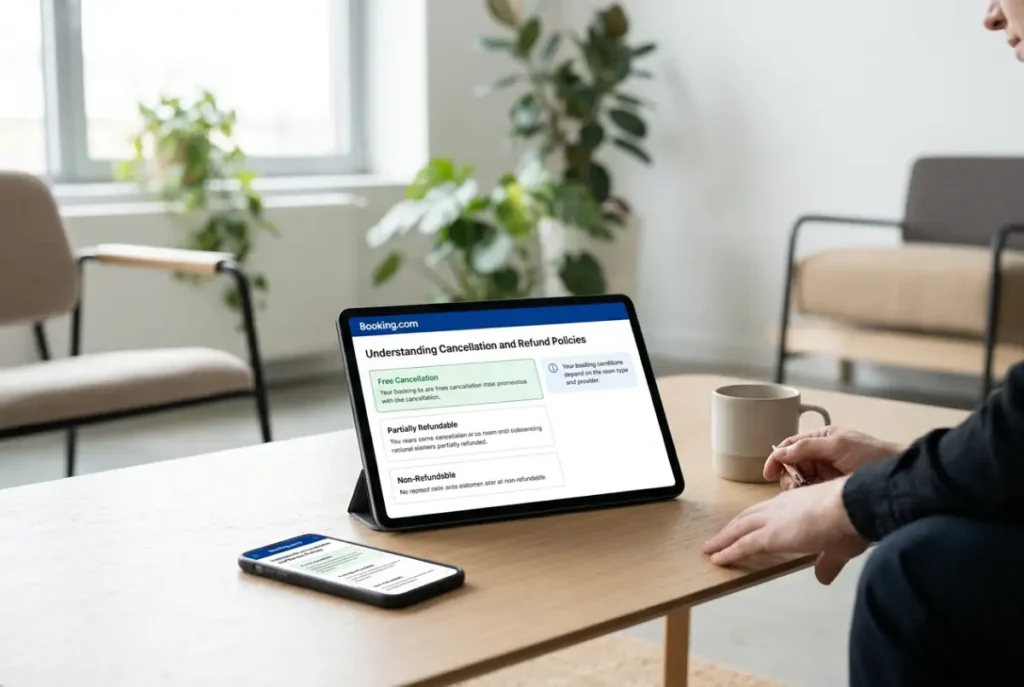
Understanding Cancellation and Refund Policies
Cancellation rules are among the most important details to review before booking. Different properties and room rates can have different conditions, even when they appear on the same search results page.
What does free cancellation mean?
A free cancellation offer allows you to cancel without a cancellation fee within the stated period. The deadline matters.
For example, a reservation may allow free cancellation until three days before arrival. Canceling after that deadline could trigger a charge under the property’s policy.
Always check the exact deadline and local time stated in your reservation details.
What is a nonrefundable booking?
A nonrefundable reservation generally offers a lower price in exchange for stricter cancellation conditions. If your plans change, you may lose some or all of the amount paid.
This option may suit travelers with firm plans, but flexible reservations can be worth the additional cost when uncertainty is high.
Can you change or cancel a reservation?
Many reservations can be managed through the booking confirmation or your account. The available options depend on the property’s rules and the type of reservation.
Some bookings allow date changes, guest updates, or cancellations through the website or app. Others restrict changes or charge fees.
Before confirming, read the cancellation policy and keep a copy of the relevant terms. If an unexpected situation arises, contact the property and customer support as soon as possible. A property may agree to an exception, but you shouldn’t assume it will.
For official guidance, visit the Booking.com Help Center or review the official cancellation FAQs.
Payment Options and Reservation Security
Payment arrangements depend on the property, room rate, and booking conditions. Some reservations require payment at the time of booking, while others allow payment at the property or charge the guest closer to arrival.
Pay now or pay later
A pay now rate may require immediate payment or a charge according to the terms shown during checkout. A pay at the property option may allow you to settle the bill when you arrive.
Don’t assume that a reservation labeled pay later requires no payment information or has no cancellation penalties. Read the payment schedule and cancellation conditions separately.
Some providers may also require a credit card for a security deposit or authorization.
Protect your payment information
Use the official website or mobile app and check the web address before entering sensitive information. Keep your confirmation email and payment records.
Be cautious if someone sends an unexpected message requesting payment through an unrelated website, gift card, cryptocurrency, or an unfamiliar payment method. Verify unusual requests through the official reservation details or customer support.
Never share account passwords or verification codes with someone who claims to represent a property.
Check for extra charges
A property may charge for parking, pets, additional guests, late check in, or other services. Vacation rentals may have separate cleaning fees or deposits.
Review the price breakdown and property rules before confirming. If a charge is unclear, ask the property to explain it in writing.
What Is the Genius Rewards Program?
The Genius program is a loyalty program available to eligible users. It can provide benefits at participating properties and on certain travel services, depending on membership level and offer availability.
Potential benefits may include discounts, breakfast, room upgrades, or other perks on selected reservations. The exact benefits vary by property, destination, and offer.
How to use Genius benefits
Create an account and sign in when searching for accommodations. Eligible offers may display a Genius label or indicate the available benefit.
Compare the final price and included features instead of assuming that a discounted offer is automatically the best choice. A nonmember rate at another property may still offer better overall value.
Review the current program terms on the official website before planning a trip around a particular benefit. Discounts and perks aren’t available for every listing, date, or room category.
Advantages and Disadvantages
A travel marketplace can save time, but it doesn’t remove the need to compare offers and understand the terms.
| Advantages | Potential drawbacks |
|---|---|
| Many accommodation types in one place | Large search results can take time to compare |
| Filters for price, amenities, and location | Prices and availability can change |
| Guest reviews and property photos | Reviews may not reflect every traveler’s experience |
| Online reservation management | Some changes require property approval |
| Flexible cancellation options on selected rates | Free cancellation isn’t available for every booking |
| Access to additional travel services | Separate services may have different terms |
| Customer support for reservation issues | Resolution can depend on the provider and circumstances |
The best approach is to use the platform to compare options, then review the important details before making a commitment.
Is booking.com Safe and Legitimate?
booking.com is an established online travel company, but a legitimate platform doesn’t guarantee a perfect experience at every listed property. Individual accommodations and travel providers remain responsible for the services they supply under the applicable booking terms.
Travelers can reduce common risks by checking reviews, verifying property details, reading payment instructions, and keeping reservation records.
Watch for suspicious messages
A message that creates urgency or asks you to pay through an unfamiliar link deserves extra attention. Don’t assume a request is genuine just because it uses a property name or reservation details.
Open your reservation through the official website or app instead of following a questionable link. Contact customer support through an official channel if the payment request seems unusual.
Verify the property
Read recent reviews and check the location on a map. Look for consistent information about the property name, address, facilities, and check in instructions.
For vacation rentals, confirm how you will receive access details and who to contact if you cannot enter the property.
Keep written records
Save the booking confirmation, cancellation terms, payment receipts, and important messages. These records can help resolve disagreements about room types, charges, arrival times, or refunds.
If something doesn’t match the confirmed reservation, document the issue and contact the property promptly.
How to Contact Customer Support
If you need help with a reservation, start with the confirmation email or the account used to make the booking. These sources usually provide the details needed to locate your reservation.
The official customer service page offers options to message the support team, call an available number, or contact the property directly. Support availability and contact methods can vary by situation.
Use official customer service to find the appropriate option.
Which contact method should you use?
- Contact the property: Best for questions about room facilities, check in, parking, or special requests.
- Use online reservation management: Useful for eligible changes and cancellations.
- Message customer support: Helpful when you need assistance with a reservation issue.
- Call support: Appropriate for urgent problems, especially when arrival is approaching.
Have your reservation number, confirmation email, and relevant messages available. Explain the problem clearly and state the outcome you need.
Practical Tips for First Time Users
A few simple habits can make the booking process easier and help prevent costly mistakes.
- Enter accurate guest details. Make sure the number of adults, children, and rooms matches your plans.
- Check the location. Estimate travel time to attractions, airports, work meetings, or public transportation.
- Read room descriptions. Confirm bed sizes, occupancy limits, bathroom arrangements, and included amenities.
- Review cancellation terms. Identify the deadline and possible fees before paying.
- Compare the total price. Include taxes and additional charges when evaluating offers.
- Check arrival requirements. Some properties require advance notice for late arrivals or specific check in arrangements.
- Save confirmation details. Keep a copy accessible on your phone and email.
- Use secure payment methods. Avoid unusual payment requests and verify unexpected messages.
- Recheck your reservation. Review the dates, property address, room type, and payment conditions before departure.
These steps are useful for domestic trips across the United States and international travel.
Frequently Asked Questions
Is booking.com free to use?
Searching for properties and comparing available offers is generally free for travelers. The total reservation cost depends on the selected property, rate, taxes, and any additional charges. Review the final price before confirming.
Does booking.com offer free cancellation?
Some properties and rates include free cancellation until a stated deadline. Others charge a cancellation fee or are nonrefundable. Read the conditions attached to your specific reservation before booking.
Can I book a hotel without paying immediately?
Some properties offer pay at the property or delayed payment options. Others require payment in advance. The available arrangement appears in the booking conditions, so check the payment schedule before confirming.
How can I find the cheapest hotel?
Compare total prices, check flexible dates, use suitable filters, and review properties outside the busiest areas. Compare the same room and conditions across different offers, including the hotel’s official website.
Are guest reviews reliable?
Reviews can provide useful information about cleanliness, service, location, and comfort. Focus on recent feedback and repeated patterns rather than relying on a single positive or negative comment.
How do I cancel a reservation?
Open your reservation through the official website, app, or confirmation email and follow the available cancellation instructions. Check the policy first because fees and refund eligibility depend on the booking terms.
Can I contact the hotel directly after booking?
Yes. The property is often the best contact for questions about check in, room facilities, parking, and special requests. You can also contact customer support if you need help with a reservation issue.
Is it better to book directly with a hotel?
Neither option is always better. A travel marketplace can make comparison easier, while a hotel’s website may offer different rates or benefits. Compare the total cost, cancellation rules, and included services before choosing.
Final Thoughts
A successful trip starts with a reservation that fits your budget, schedule, and expectations. Compare the full cost, read recent reviews, check the property’s location, and understand the cancellation and payment rules before confirming.
booking.com can make travel planning more convenient by bringing many accommodation and transportation options together. Use its search tools to narrow your choices, verify important details with the provider, and save your confirmation information. A little research before paying can help you avoid unnecessary expenses and enjoy a smoother trip.